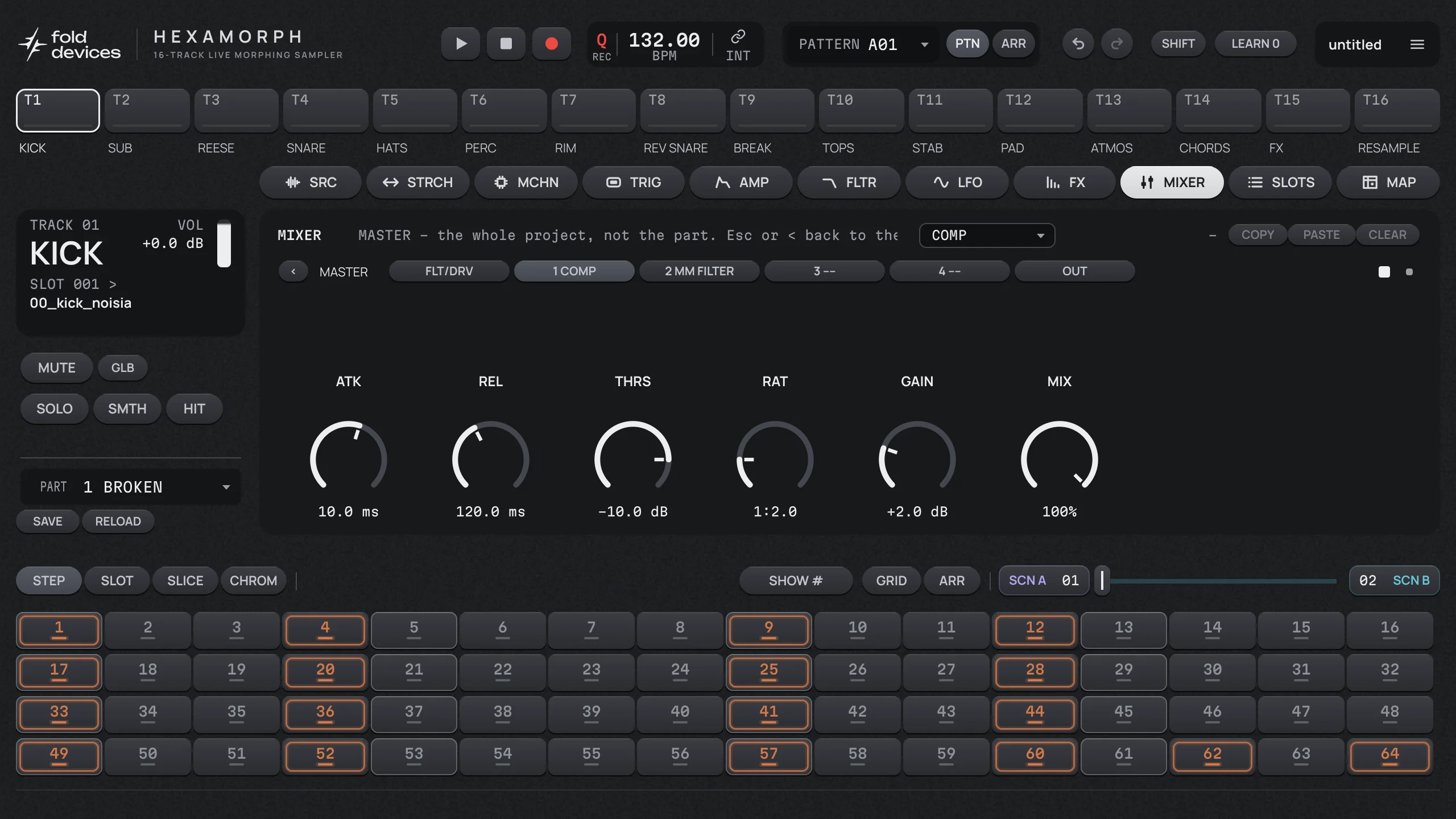
Every track has its own sequence of up to 128 steps, with its own length and speed, so polymeters and half-time hats are one setting away.
Lock anything to a step
Open a step and every knob you turn is stored on that step only. 152 parameters of a track can be locked: sample slot, slice, pitch, start, filter, envelopes, LFOs and all four effects.
Trig conditions: probability, A:B (play on the A-th of every B passes), FILL, NOT FILL, PREV and NOT PREV.
Per step: note, velocity, length, microtiming in 1/24 steps, retrig, slide.
Trigless trigs change locks without playing the sample again.
Swing and a master length that pulls every track back to step 1.
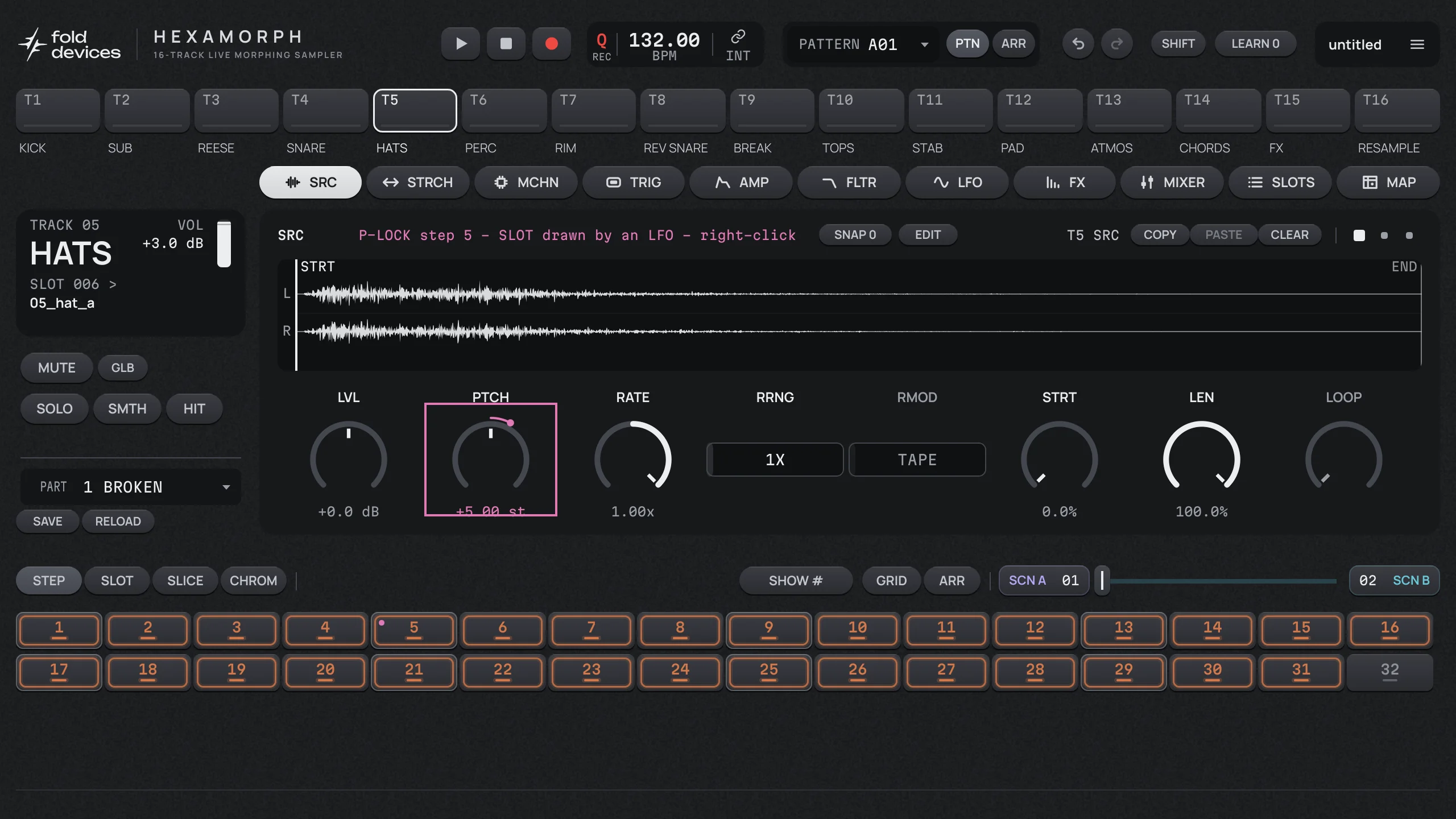
P-LOCK on step 5. Locked knobs show a ring; the step summary lists every lock it carries.
See every lock at a glance
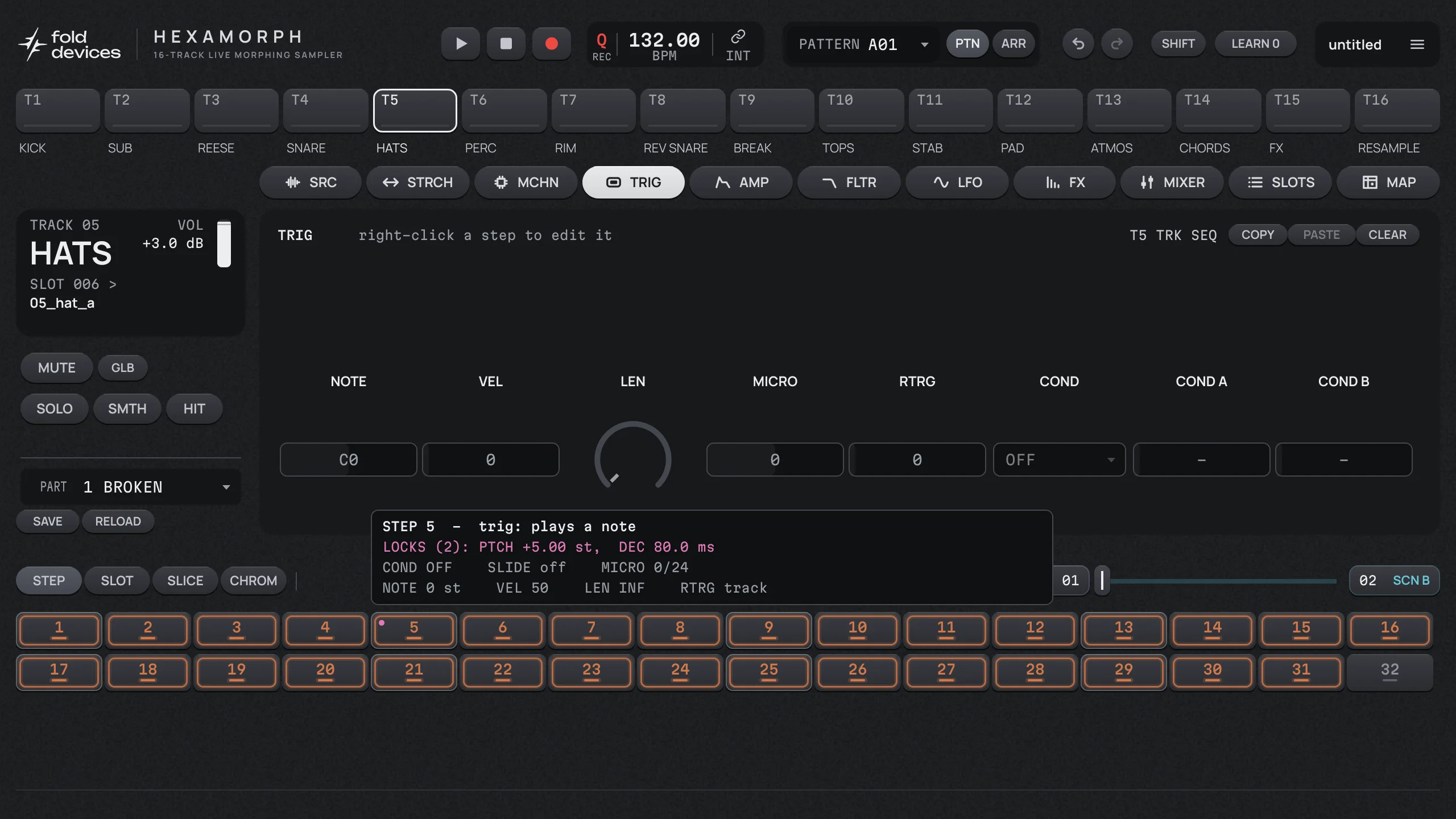
Point at a step with SHIFT held and a summary shows what it plays and which locks it holds. The MAP page lists every lock on a track at once.
Copy, paste and clear steps, tracks, pages, effect slots, parts and scenes, all under undo.
Arranger for chaining patterns into a song with repeats, mutes and scene changes.
128 patterns in 8 banks per project.
The step summary: what step 5 plays and the two locks it holds.
Scenes, parts and the crossfader
A part is the sound of all sixteen tracks: samples, machines, every page of settings. A scene is a set of changes on top of the part. Put two scenes either side of the crossfader and morph between them while the pattern plays.
16 scenes per part
Any parameter that can be locked can be held by a scene, on any number of tracks at once. Discrete values switch at the middle of the fader, continuous ones glide.
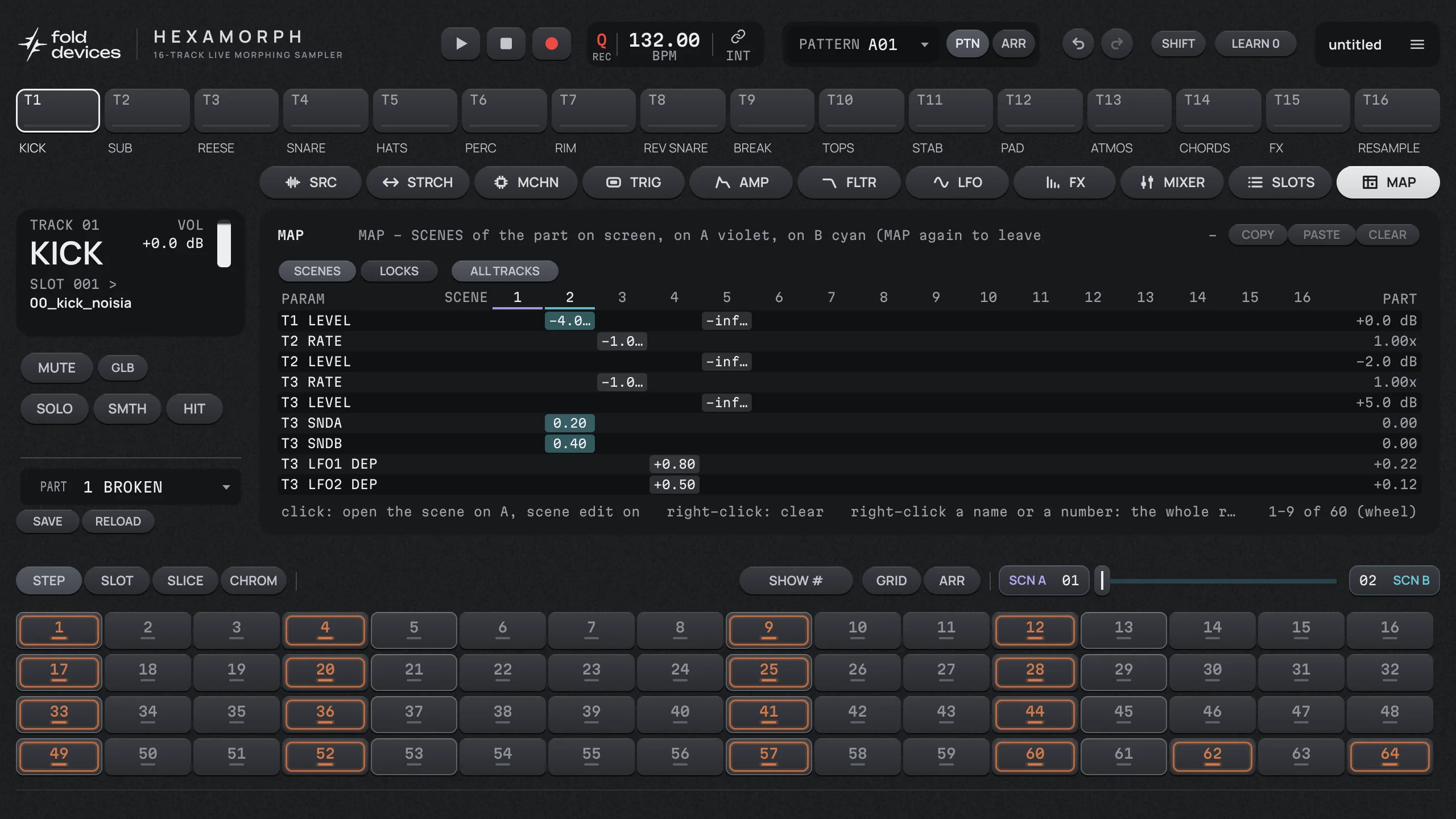
MAP page: a table of every parameter each scene holds, and every lock on a track.
64 parts per project, switched on the bar while the pattern keeps playing.
Per-track crossfader enable to keep a track out of the morph.
MAP: which parameters the scenes hold and where they start from.
Sampler and slicing
128 sample slots per project, shared by all tracks. Each track picks a slot, or its own recorder, and a machine that decides how it plays. One-shots make it a drum sampler, loops and breaks make it a slicer, and both can live in the same pattern.
Five machines
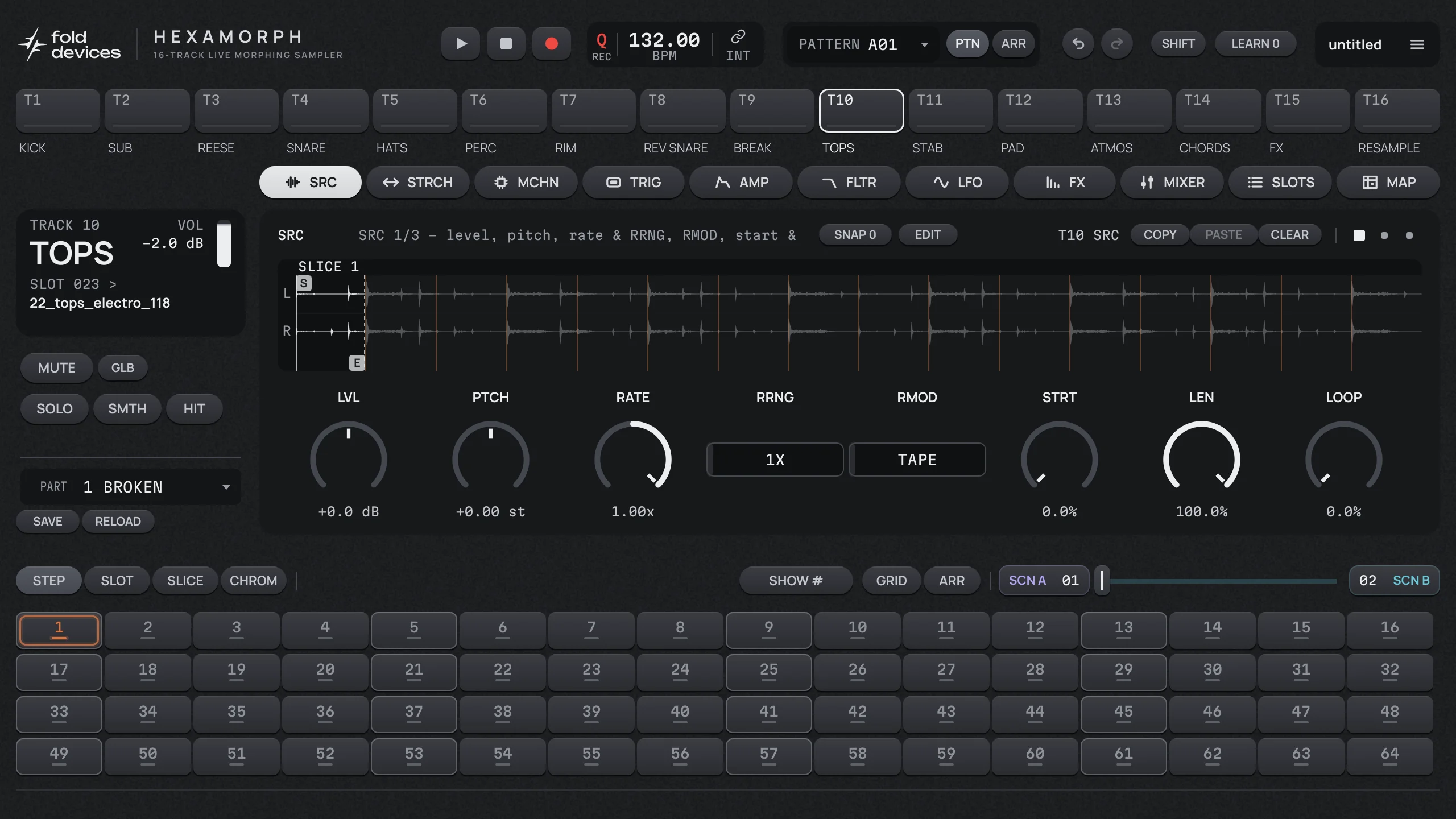
FLEX and STATIC play samples, with pitch, rate, start, length and loop.
THRU passes audio from the plugin's input through the track.
NEIGH takes the track above as its input, so a track can be an effect chain for another.
PICKUP is a looper.
THRU and the recorders need audio coming into the plugin, which depends on how your DAW routes an instrument's input.
The SRC page of a sliced drum loop.
Slice, stretch, resample
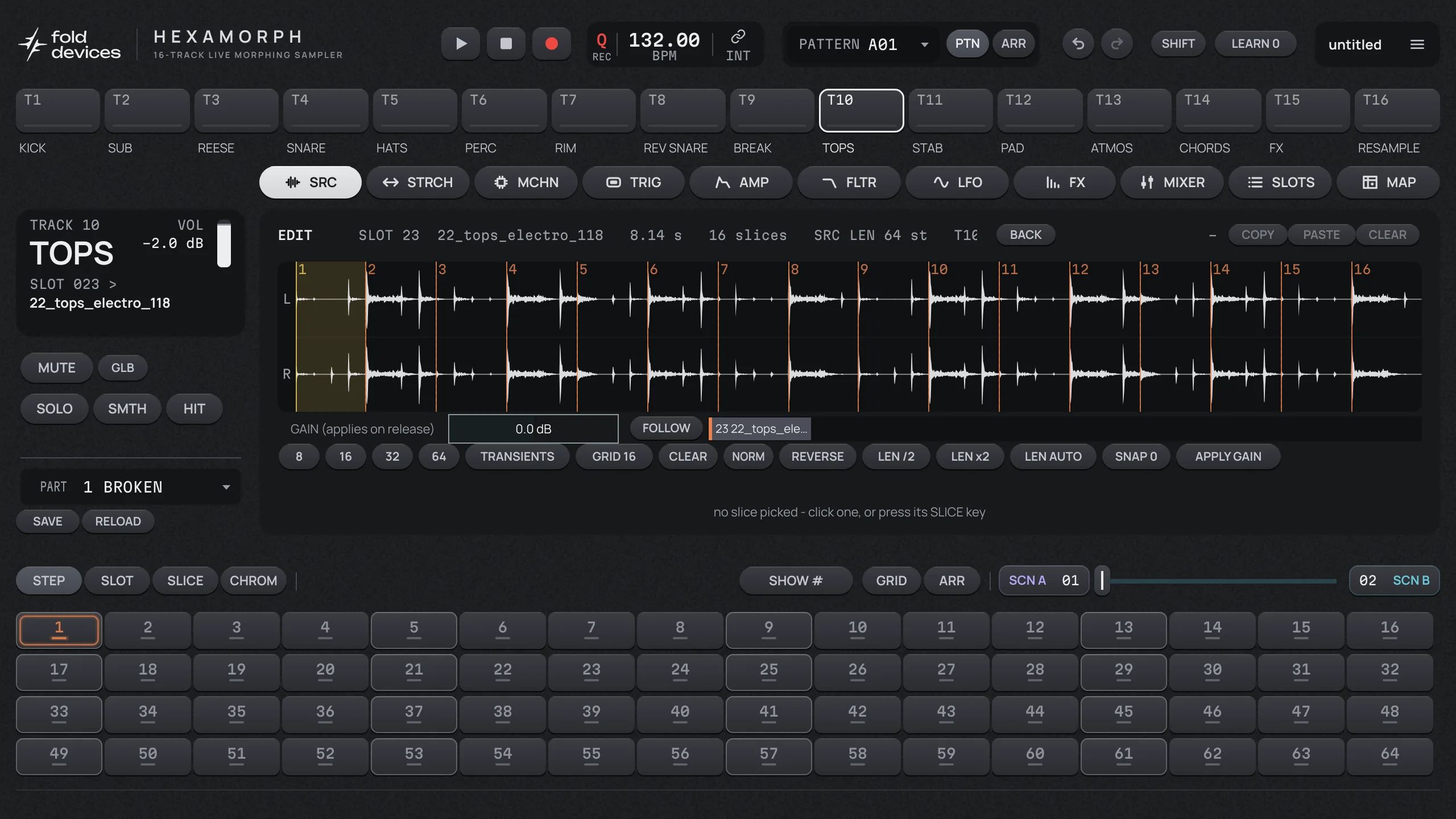
Up to 64 slices per sample, by grid or by transients, played from the sequencer or from locks.
Recorders capture a track's output into a buffer you can slice and play on another track.
Declick crossfades every jump of the play head.
EDIT: slicing a drum loop by the grid.
Filter, envelopes and LFOs
A full voice on every track
Amp envelope: ADSR or AHD.
Main filter: 8 types with resonance, its own envelope and key tracking, plus a band filter before or after it.
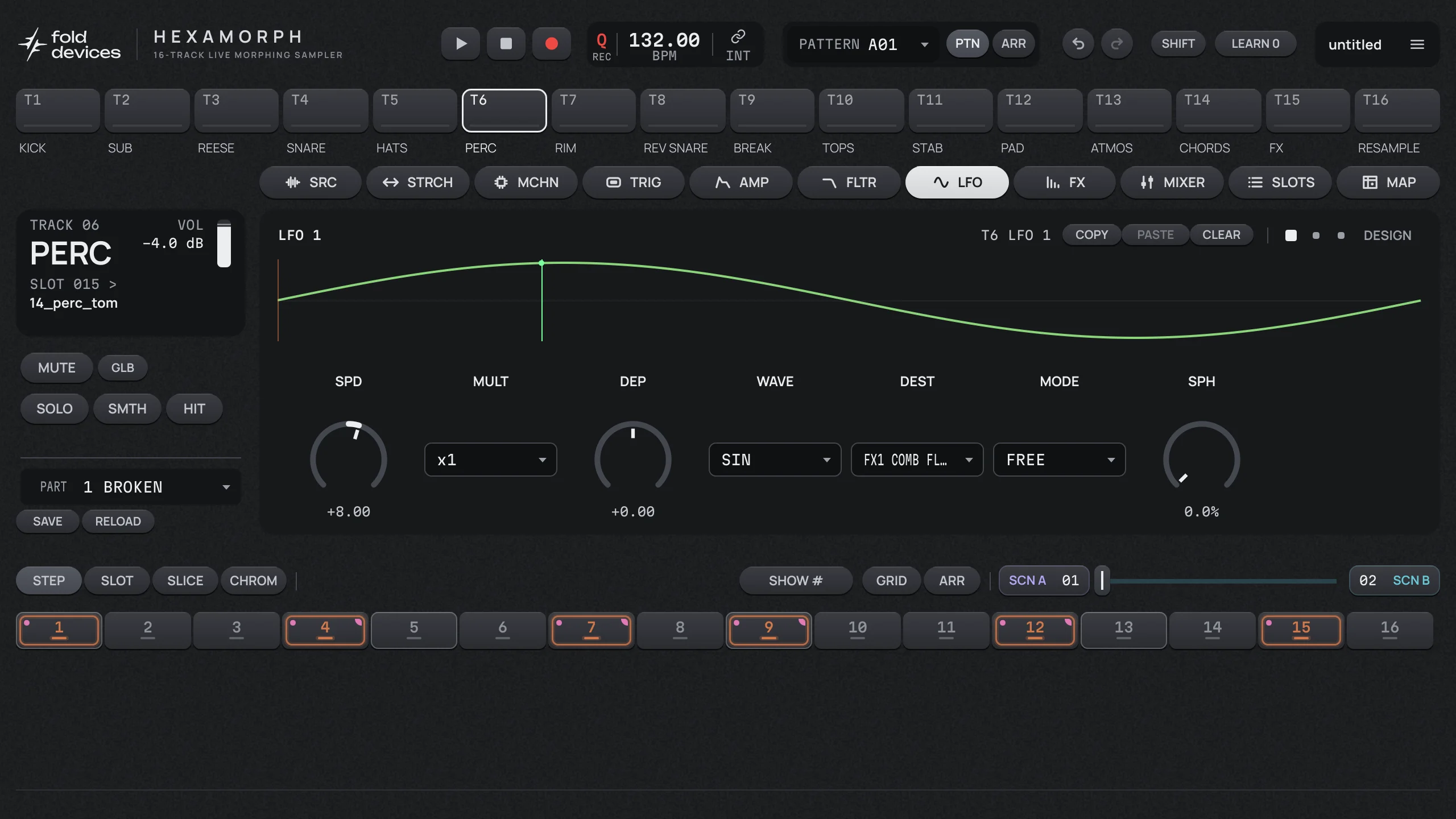
3 LFOs per track: seven built-in waves or one of 16 curves you draw, modes FREE, TRIG, HOLD, ONE and HALF. Each can reach any lockable parameter, including the other LFOs.
Drawn curves live in the project and are shared by every LFO and the sidechain.
MIDI learn for any knob.
LFO 1 of the perc track, aimed at the comb filter in its first effect slot.
Effects
Four insert slots on every track, one effect on each of the two send buses, and four slots plus a limiter on the master. Every effect has six parameters, so any effect fits any slot and every parameter can be locked or put in a scene.
18 effects
Filters
FILTER, MM FILTER (12/24 dB multimode), COMB FILTER
EQ
EQ (parametric), DJ EQ (kill EQ)
Dynamics
COMP, SIDECHAIN (sidechain compressor), LIMITER
Colour
DRIVE (with wavefolding)
Modulation
CHORUS, FLANGER, PHASER, SPATIAL
Delay
DELAY
Reverb
REVERB, PLATE, SPRING, DARK
Four insert effects on one track, in series.
Send buses and master
Reverbs and delays usually belong on a send, shared by everything. Hexamorph has two, each with its own effect and return level, and a master bus with its own four slots and a limiter.
The master bus: four effect slots and a limiter.
A sidechain that listens to trigs
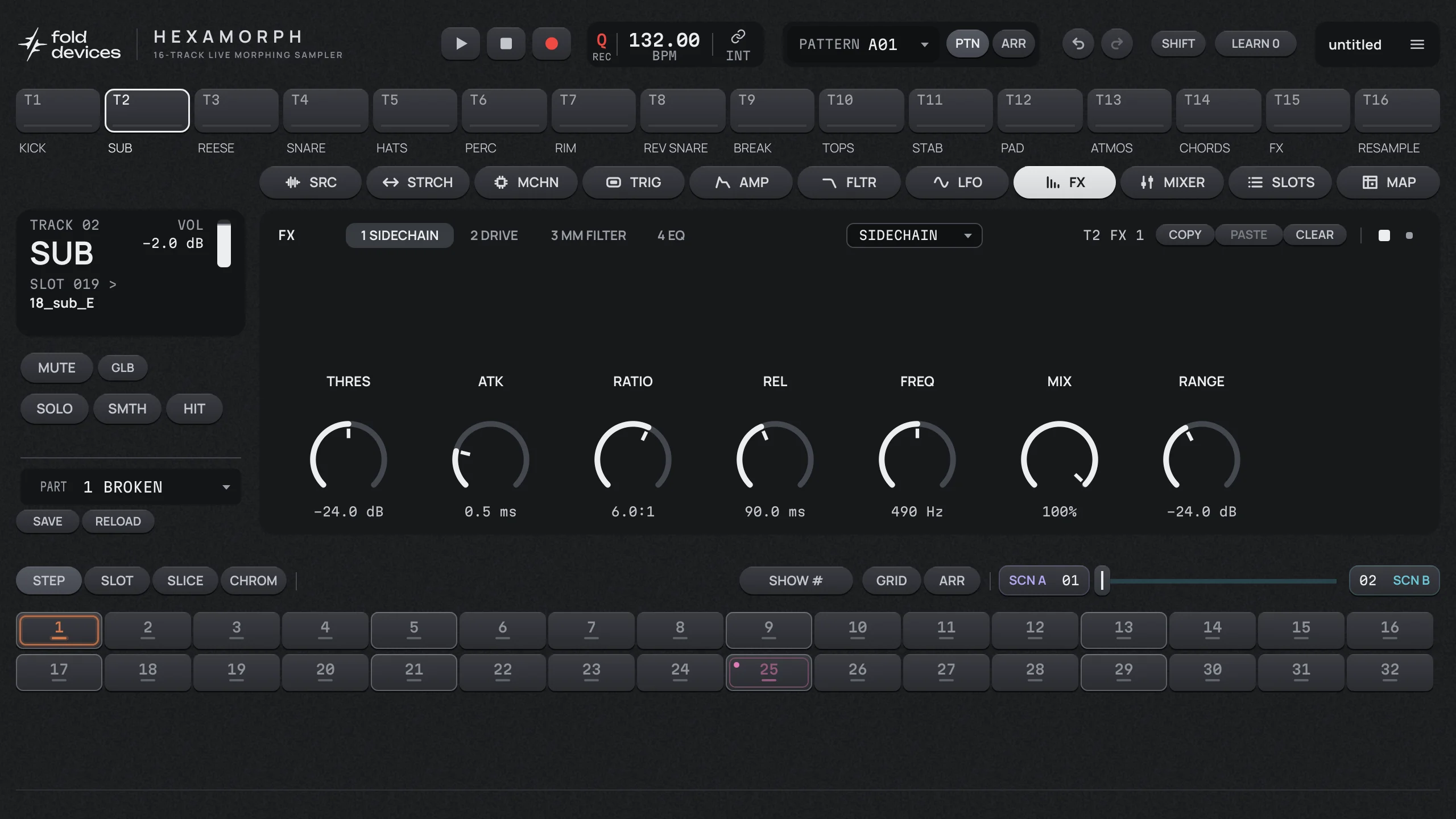
A normal sidechain compressor listens to audio, so it reacts a moment after the kick. The SIDECHAIN effect in Hexamorph can follow another track's trigs instead: the sequencer fires the duck on the exact sample of the hit. It can also follow that track's audio like a classic compressor.
Full band, lows or highs: duck only the bass of a pad and keep its top, with a clean crossover.
Release curves: EXP, LIN, SLOW, PUMP, GATE and DOUBLE, or one of your own drawn curves.
Depth, attack, hold and release can be locked per step and moved by scenes like any other parameter.
Mixer and outputs
Mix inside, or out in the DAW
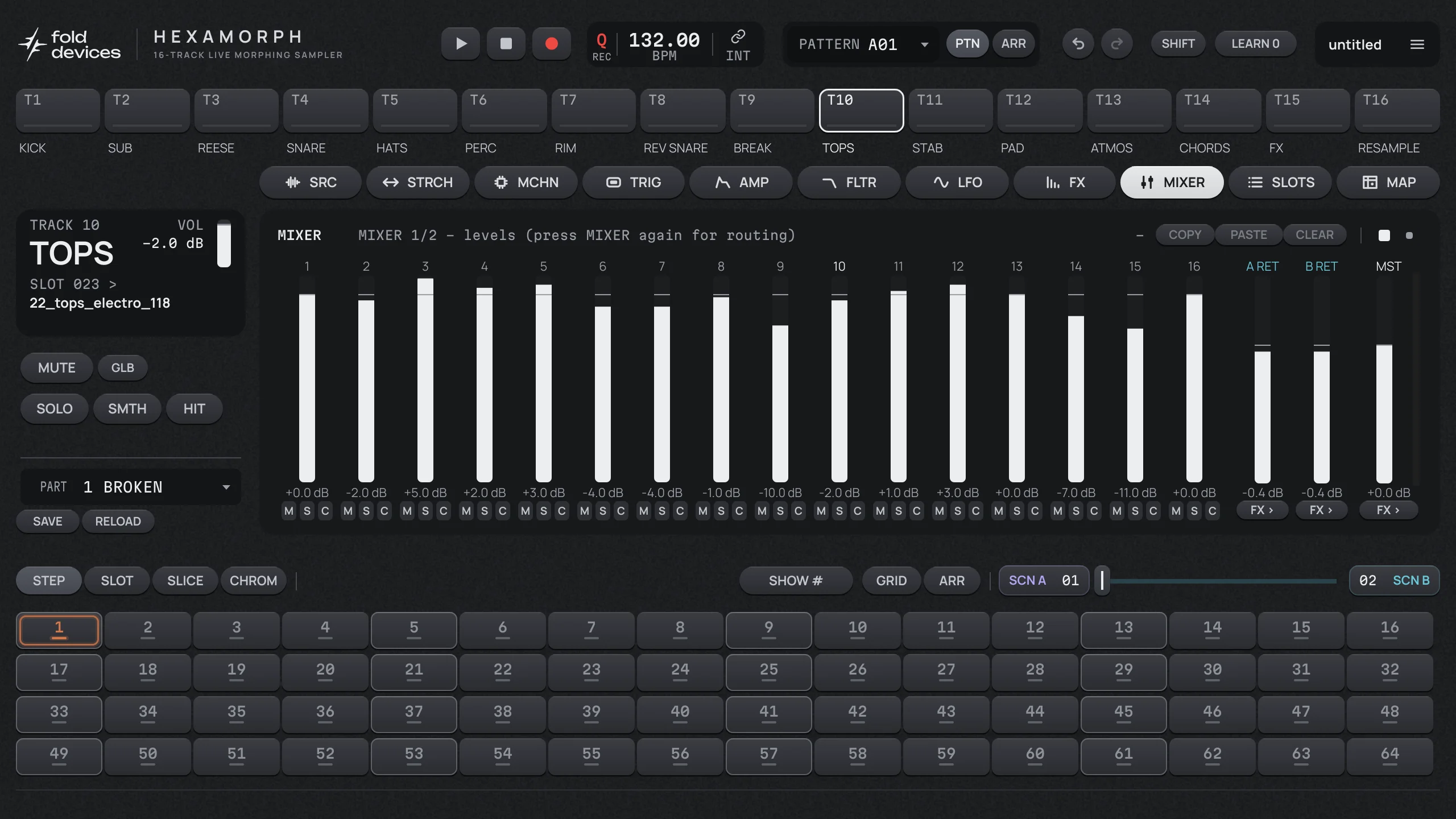
Mixer page with level, mute, solo and both sends for all 16 tracks.
Main, cue and 16 stereo track outputs, so every track can get its own channel in the DAW.
Mute and solo are smooth gates, saved with the project.
Sidechain from the DAW into the SIDECHAIN compressor, through a THRU track.
MIXER: 16 tracks, two send returns and the master.
Working inside a DAW
Hexamorph follows the host's tempo and transport. The sequencer is computed from the song position, so when you move the playhead in your DAW the patterns move with it, and swing and negative microtiming never drift.
The project is saved inside your DAW session. You can also save and load projects as files, and Hexamorph remembers which samples a project uses and tells you if any are missing.
A licence key is checked offline, so the plugin runs on stage without an internet connection.
Try it in your own DAW.
The beta is free for macOS, Windows and Linux (VST3, AU on Mac, and a standalone app). Join the list for an invite, or pre-order with no payment now and get 20% off at launch.
We'd like to use Google Analytics and the Meta pixel to see which posts and ads bring people here. They set cookies, so nothing loads unless you agree. Privacy